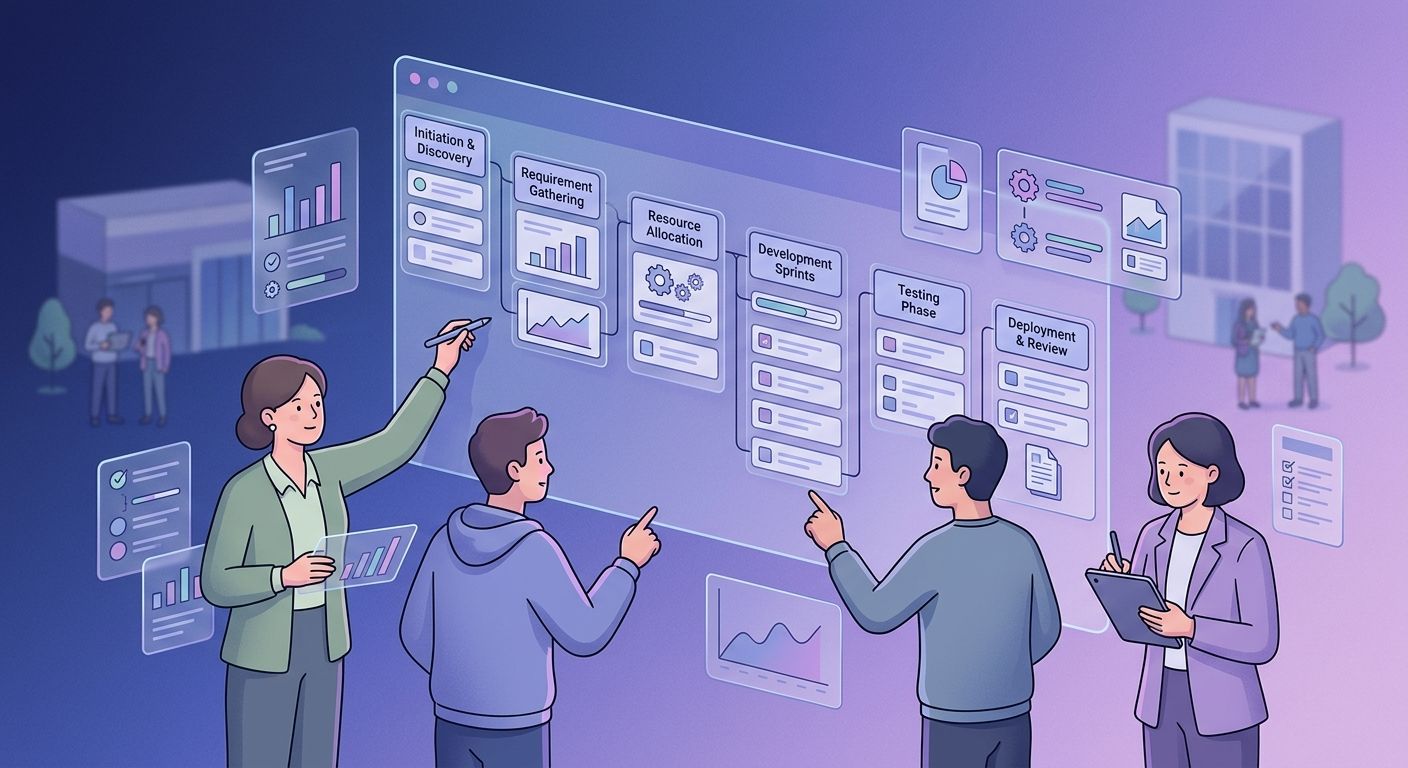
What Is a Project Plan?
A project plan is the roadmap a team uses to turn a project objective into completed work. It explains what the team is trying to achieve, what needs to be delivered, who is responsible for the work, when it needs to happen, and how the different pieces fit together.
It is more than a list of tasks. A task list might tell you to "design the homepage" or "test the application," but it does not necessarily tell you why those tasks matter, what has to happen before them, or what happens if they are delayed.
A project plan puts those pieces together. It gives the team a shared view of the work instead of leaving everyone to figure out their own version of the project as they go.
Why Does Project Planning Matter?
Most projects do not become difficult because people cannot complete individual tasks. They become difficult because the tasks were never properly connected in the first place.
A developer starts work before the requirements are settled. A stakeholder expects a feature that was never included in the original scope. Two important tasks are assigned to the same person at the same time. Testing gets pushed to the final week because nobody accounted for revisions.
These problems can look like execution problems when they are really planning problems.
Good project planning gives the team a chance to find these issues while they are still easy to fix. It forces important questions to be answered before time and resources have already been committed.
That does not mean planning can remove uncertainty. Projects change, estimates are sometimes wrong, and unexpected problems happen. The point is to start with a clear enough understanding of the work that the team can recognize when reality starts moving away from the plan.
How to Create a Project Plan
A useful project plan does not need to be complicated. It needs to answer the important questions in the right order.
1. Define the Project Outcome
Start with the result.
Before creating tasks, make sure the team agrees on what the project is supposed to accomplish. "Build a new website" is a starting point, but it is not particularly useful as a definition of success.
A better objective might be to launch a website that clearly explains the company's services and gives potential customers a simple way to request a consultation.
The difference is subtle, but important. Once the outcome is clear, you can start asking what needs to exist for that outcome to be achieved.
This gives you a foundation for everything that follows.
2. Define the Scope
Now decide what belongs in the project.
Imagine that the website project includes a homepage, product pages, a contact page, and mobile optimization. During planning, someone suggests redesigning the blog as well. Another person asks whether the customer dashboard can be updated while the team is working on the site.
These requests may be worthwhile, but they are still additional work.
Define what the project includes and what it does not include. This gives the team a reference point when new requests appear and makes it easier to understand when a change will affect the original timeline or resources.
A clear scope does not stop a project from changing. It makes those changes visible.
3. Identify the Deliverables and Tasks
With the scope established, break the project into the things that actually need to be produced.
For the website, the major deliverables might include approved requirements, completed designs, developed pages, tested functionality, finalized content, and the final launch.
Each deliverable can then be broken into smaller tasks. The design phase might include wireframes, visual design, revisions, and approval. Development might include frontend implementation, integrations, testing, and bug fixes.
Do not break the work down simply to create a longer task list. Break it down enough that the team understands what needs to happen and can tell when the work is complete.
4. Assign Ownership
Once the work is visible, decide who is responsible for it.
This is where many projects develop small gaps that later become large problems. Everyone knows something needs to happen, but nobody is clearly responsible for making sure it happens.
Every important deliverable and task should have an owner. That person does not necessarily have to do all the work themselves. They are responsible for making sure the work moves forward and that problems are raised when something gets in the way.
Clear ownership also makes the project easier to manage. If a deliverable is falling behind, you know where to start the conversation.
5. Build the Timeline
Now you can start putting dates against the work.
The important part is not simply deciding when each task should be finished. Think about how long the work is likely to take, who is available, and what has to happen before something else can begin.
For example, development may depend on design approval. Testing may depend on development being complete. Launch may depend on both testing and content approval.
These dependencies determine how the project can actually move.
Add milestones for the points that matter most, such as requirements approval, design completion, development completion, testing, and launch. This gives the team a way to see progress without having to interpret every individual task.
A timeline built without considering dependencies can look perfectly reasonable and still be impossible to follow.
6. Identify Risks and What Could Disrupt the Plan
Once the timeline is in place, ask what could push it off course.
A supplier might be late. A technical integration might take longer than expected. A stakeholder might delay an important approval. A key team member might become unavailable.
You do not need to make a list of every possible disaster. Focus on the things that could have a meaningful effect on the project's outcome, schedule, or resources.
For each important risk, decide whether there is something you can do now to reduce the chance or impact. If the risk happens anyway, know what your next option is.
This is much easier to do before a problem becomes urgent.
7. Decide How the Project Will Be Tracked
The final part is deciding how the plan will stay visible once the work begins.
Where will tasks live? Where will deadlines be tracked? How will people report blockers? Where will stakeholders find progress updates? Who reviews the project and how often?
These decisions might sound administrative, but they have a direct effect on execution.
If tasks are in one system, deadlines are in a spreadsheet, important decisions are buried in chat, and the latest requirements are sitting in someone's inbox, the team does not really have one source of truth.
The project plan should live somewhere the people doing the work can actually use it. There are a lot of existing project management tools that can help with this step, including Polaris.
How to Execute the Project Plan
Creating the plan is not the end of planning. It is the point where the plan gets tested.
Once work begins, compare what is actually happening with what the plan expected. Are tasks being completed when expected? Are dependencies holding up other work? Have new risks appeared? Has the scope changed?
The purpose of tracking progress is not to prove that the team followed the plan perfectly. It is to find out where reality has changed and decide what needs to happen next.
If a task is late, find out why. Maybe the original estimate was wrong. Maybe another task was delayed. Maybe the person responsible has too much work. Maybe the requirements changed halfway through.
The answer determines the response. You might move the deadline, change the order of work, add resources, reduce scope, or make a decision with the stakeholder.
That is what executing a project plan actually looks like. You start with a direction, watch what happens, and adjust when the project gives you new information.
Keep the Project Plan Updated
A project plan that becomes outdated is worse than it looks.
If everyone knows that a task moved from Monday to Thursday but the project plan still says Monday, people have to remember which information is correct. Do that often enough and the plan stops being useful.
Keep the important parts of the plan aligned with reality. Update deadlines when they genuinely change, reflect meaningful scope changes, close risks that are no longer relevant, and add new ones when they appear.
You do not need to rewrite the entire plan every week. The goal is simply to make sure the version everyone sees still represents the project they are actually working on.
The Point of a Project Plan
A good project plan does not tell you exactly how the next three months will unfold.
It gives you enough structure to make the project understandable.
You know what you are trying to achieve, what belongs in the project, what needs to be delivered, who owns the work, how the pieces depend on one another, and what could get in the way.
That clarity has a practical benefit. When something changes, the team has a starting point for understanding what else might need to change with it.
Without a plan, a delay is just a delay. With a plan, you can see which deliverable it affects, which deadline might move, who needs to know, and what options are available.
That is why planning matters. Not because every project needs more documentation, but because confusion is much cheaper to fix before the work begins.
Key Takeaways
- A project plan connects the objective of a project to the actual work required to achieve it. It should give the team a clear understanding of the outcome, scope, deliverables, ownership, timeline, dependencies, risks, and way of working.
- The plan also needs to remain useful after execution begins. Teams should track progress, raise problems early, communicate changes, and update the plan when the project moves in a different direction.
- The best project plan is not the longest one or the most detailed one. It is the one that gives the team enough clarity to know what needs to happen and enough flexibility to respond when things change.
Take the Next Step
Take a project you are about to start and try planning it before assigning the work. Define the outcome, agree on the scope, identify the major deliverables, assign owners, map the dependencies, and build a timeline that reflects how the work can actually happen.
Then ask the people who will execute it to challenge the plan. They may spot an unrealistic deadline, a missing dependency, or a piece of work nobody has considered.
Polaris gives teams a shared workspace for managing projects, tasks, deadlines, ownership, and collaboration, keeping the plan close to the work instead of separating planning from execution.
A project plan should not be something the team creates once and forgets.
It should be the thing that helps everyone understand what needs to happen next.